Take a mock test and review the results
A mock test simulates the real exam. Open your exam, then choose Start mock in the header or on the Mocks tab. The launcher opens in Test mode: it uses the real exam mix, gives no feedback or XP until you submit, and locks the AI Coach until then.
Prepare and start
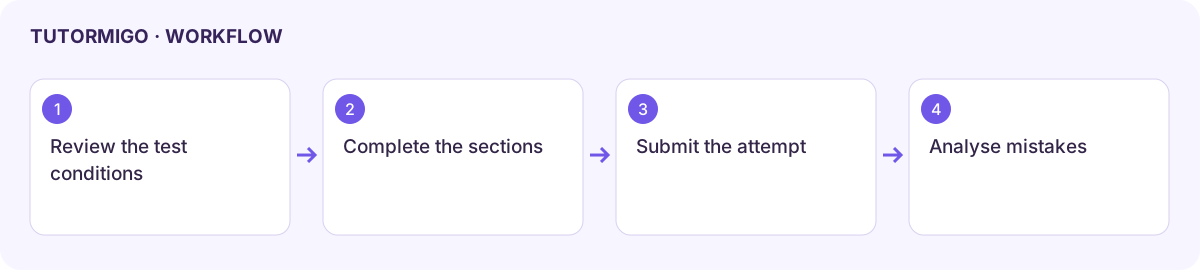
Section titled “Prepare and start”- In the launcher, choose a full or starter mock and check its sections and timing.
- Choose a quiet study period and check that your device and connection are ready.
- Start once and read the session instructions, timer, question navigation, and save state.
- Answer each section using the provided controls. Use review flags or navigation only where the test allows them.
- Before final submission, inspect unanswered items and the submission confirmation. Confirm only when you are ready to finish.
Interpret the outcome
Section titled “Interpret the outcome”Open the attempt’s Results to read overall and section performance, completion state, and any timing information. Follow the attempt’s Review flow to compare your answer with the explanation. Identify a small number of recurring gaps and add them to your next practice plan.
Do not describe a partial or interrupted attempt as a completed scored mock. The displayed estimate or practice score is not an official exam result. Compare similar forms and conditions when tracking improvement.
If a connection fails, use the supported resume flow and check the saved attempt state before starting another test. Retain the attempt identifier and error if results do not load. IELTS also has a dedicated skill and mock workspace.
Workflow at a glance
Section titled “Workflow at a glance”