Create a teacher Knowledge Base and upload materials
Teacher Knowledge Bases organize source materials for teaching. Uploading a curriculum document supplies retrieval context; it does not by itself train a new model.
Create and populate a collection
Section titled “Create and populate a collection”- Open Knowledge Base and choose Create knowledge base.
- Enter a specific Name, such as Algebra Chapter 5, and an optional description. Create the collection and confirm it appears in the list.
- Open its document view. Choose the available upload control and select material you may use with your learners.
- Wait for upload and processing, then inspect each document’s status. An uploaded file may not yet be ready for retrieval.
- Use the class’s knowledge-selection controls where offered to attach the intended collection. Check the selected class and source before a lesson.
Verify the learning context
Section titled “Verify the learning context”Ask a small question whose answer is present in the uploaded material. Check that the answer’s references and terminology match the source. Review extracted content for scanned pages, symbols, or layout that may have been read incorrectly.
If a document fails, inspect the format, file size, and error before retrying. If the collection is absent in a class, check ownership, access, and the available class attachment settings. Do not upload student records simply to test retrieval.
Use the collection’s available document-management actions to maintain current versions. Check the effect of removal on active classes before deleting a source. Keep the original curriculum file outside the Knowledge Base as your authoritative reference.
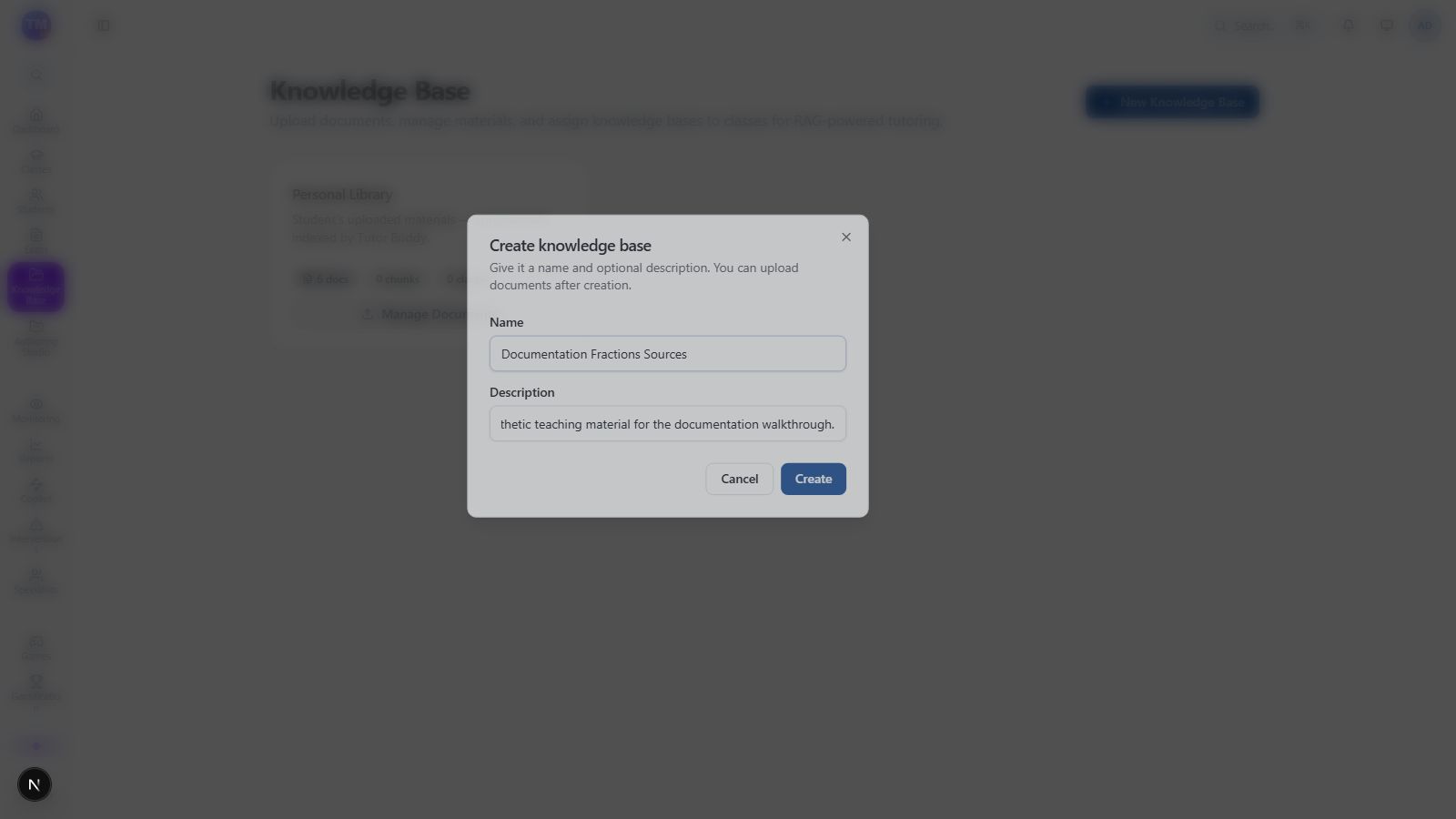
Teacher Knowledge Base creation form with a synthetic documentation collection.
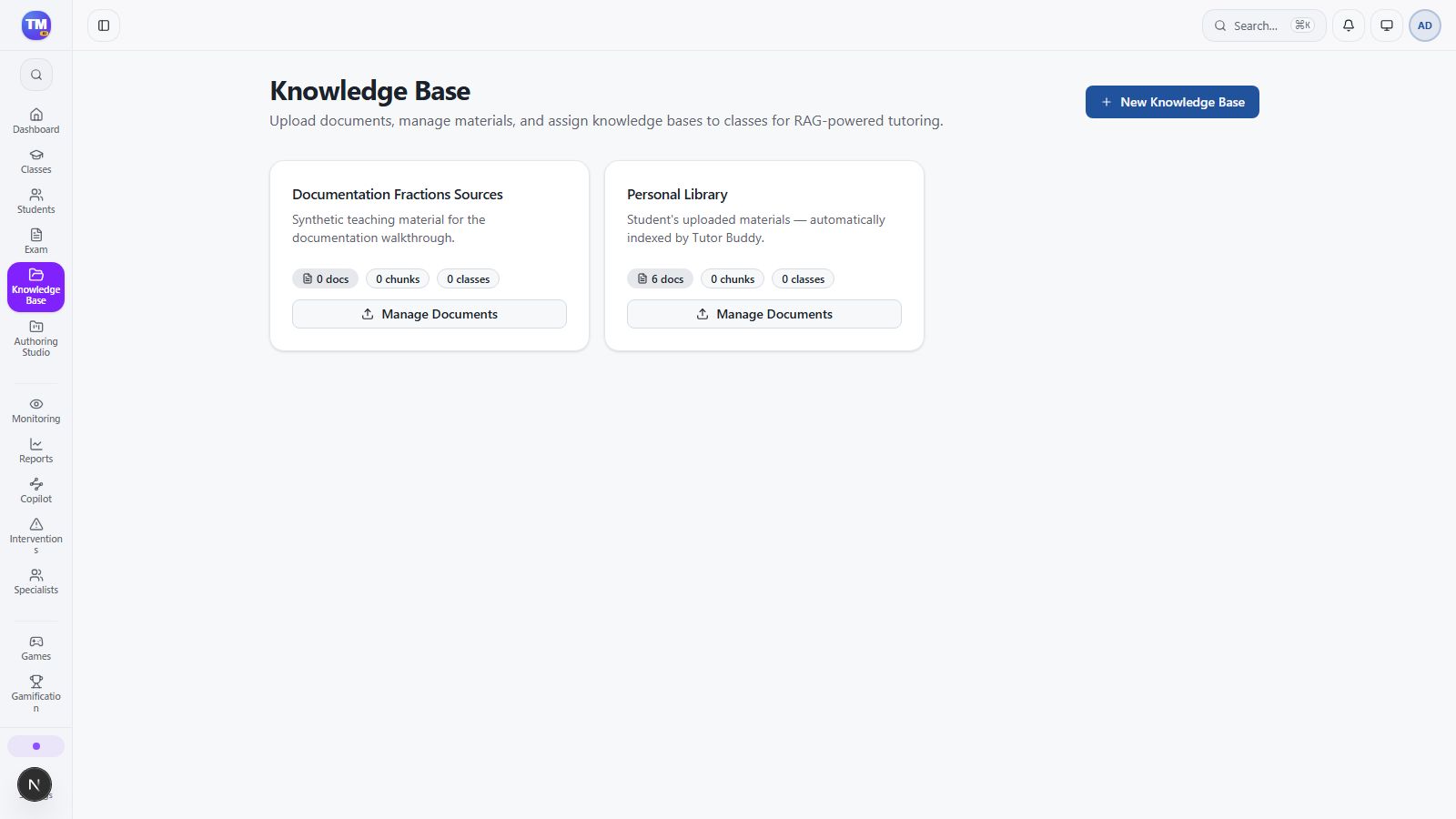
The created Documentation Fractions Sources collection in the teacher list.
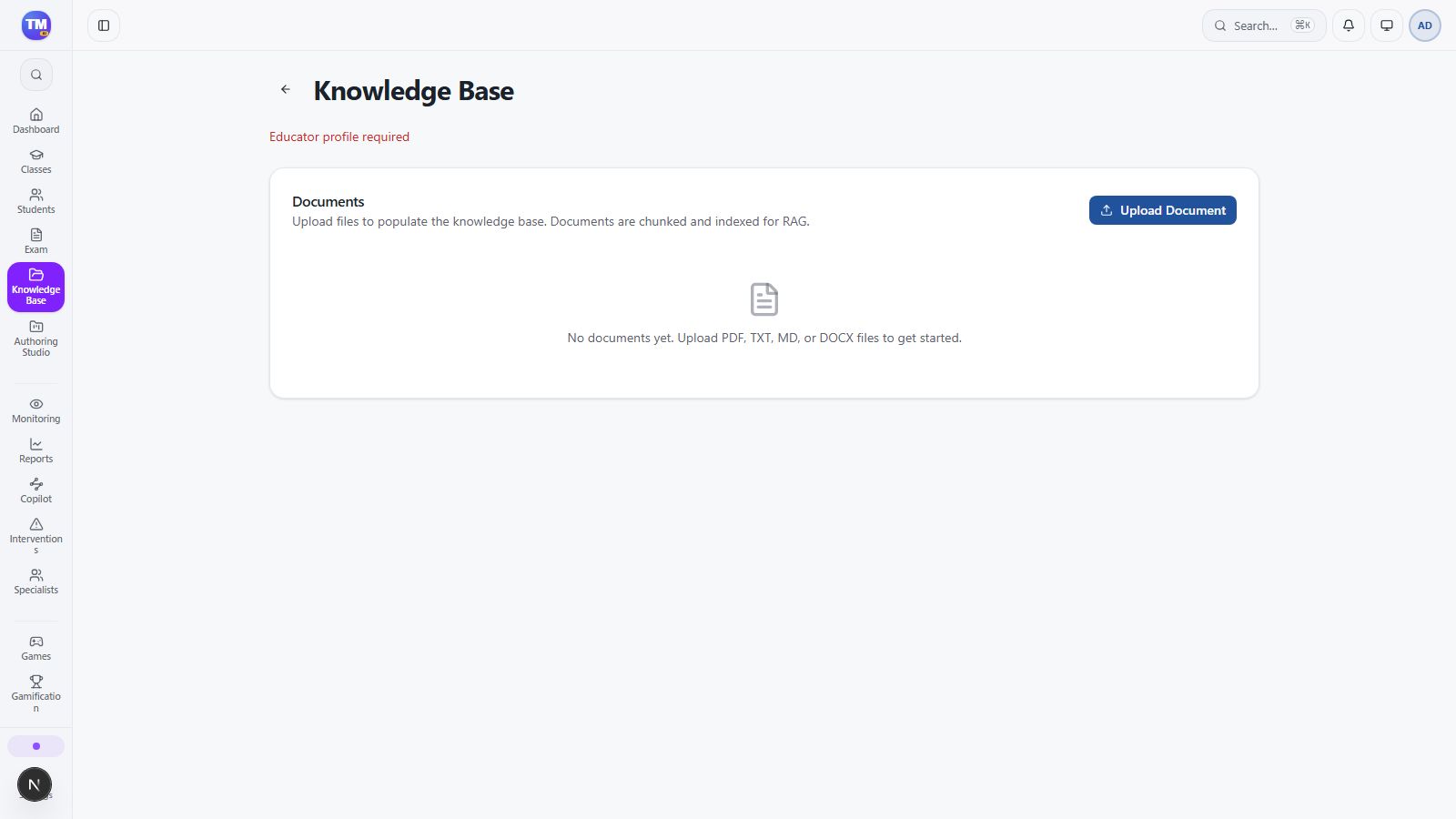
Document view showing the Educator profile required prerequisite.
Workflow at a glance
Section titled “Workflow at a glance”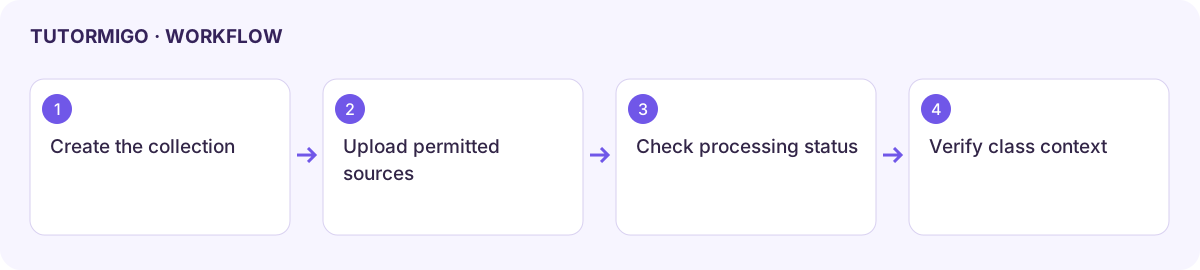
Check the educator profile
Section titled “Check the educator profile”If the collection’s document page says Educator profile required, contact support to check your teacher account. Do not treat its empty document list as proof that the collection has no files.
The local check created Documentation Fractions Sources, then encountered this prerequisite in its document view. Uploading, indexing, attaching it to a class, and teacher-scoped retrieval were not completed in that check.