Read alerts and message the linked teacher
Messages And Alerts keeps parent-teacher threads, class broadcasts, and parent alerts inside the TutorMigo app. It is separate from an email notification.
Read a thread
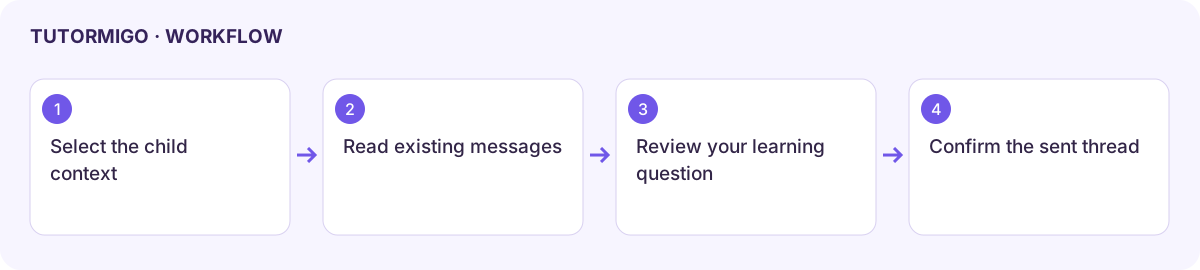
Section titled “Read a thread”- Open Messages in your parent workspace.
- Inspect Alerts for milestones, inactivity, learning difficulties, and teacher broadcasts.
- Select a thread from Threads and read its messages in Thread.
- Check which child and teacher the conversation concerns before replying through the offered controls.
Start a message
Section titled “Start a message”In Compose, select the linked child, enter a Subject line, and write a clear message for the child’s teacher. Include the learning topic and the practical question you need answered. Review the recipient context and text, then choose Send Message.
Confirm the message appears in the intended thread. A filled compose box is not a sent message. If the teacher or child is unavailable, check the child’s class link rather than selecting another learner to get past the empty state.
An empty alert list means no alerts were returned at that moment. It does not replace checking the child’s activity. Avoid sending unrelated private details when a short learning question is sufficient.
Next: activity and reports and home learning.
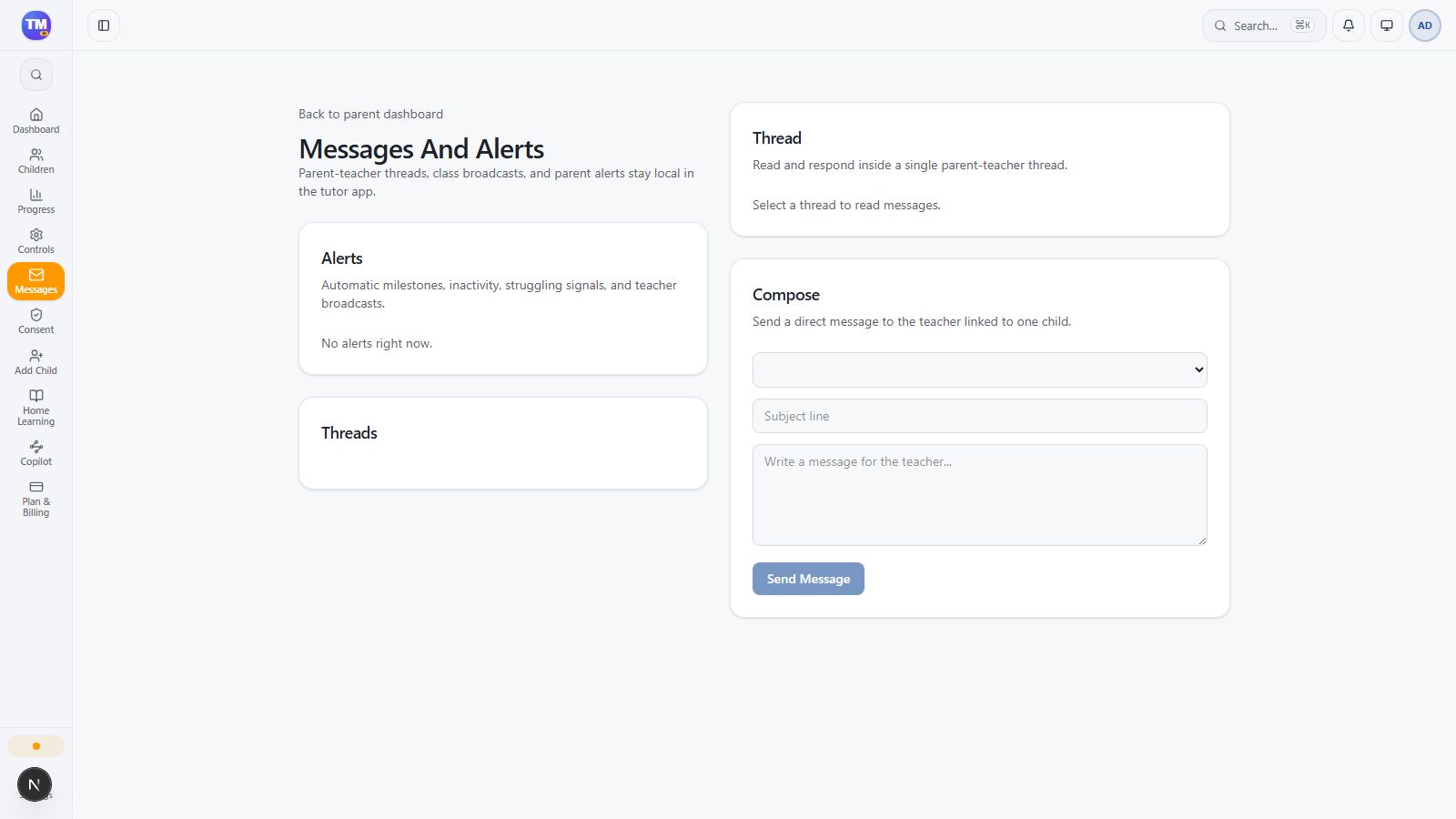
Parent Messages interface in the local family workspace.
Workflow at a glance
Section titled “Workflow at a glance”