Understand XP, badges, rewards, and challenges
The progress and dashboard surfaces include motivation features alongside learning evidence. XP, levels, and streaks describe activity; they are not a guarantee that a topic is mastered.
Review your current state
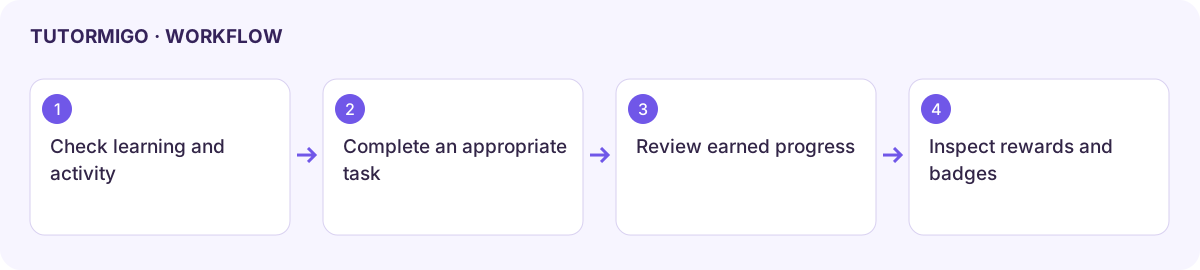
Section titled “Review your current state”Open Progress or the available dashboard and inspect your XP, level, streak, and learning measures together. Check the current period before comparing activity. Open Badge Gallery to see earned badges and the unlock conditions for locked ones.
Complete a challenge
Section titled “Complete a challenge”- Open Challenges and read the Daily Challenge.
- Enter your own answer and use the displayed completion action.
- Review the result and whether the one-time daily bonus was awarded.
- For Class Challenges, select the relevant class and read the active challenge instructions.
- Return to Progress to check the updated activity state. An unanswered or failed task may not award the expected XP.
Use rewards and leaderboards
Section titled “Use rewards and leaderboards”In Reward Marketplace, read Spendable XP, the item’s cost, and its effect before unlocking it. The reviewed screen distinguishes spendable XP from level progress and says your level does not drop after a reward purchase. Verify an unlocked item in Your Inventory.
Read a leaderboard’s scope and period before comparing positions. Keep personal learning goals ahead of ranking. If rewards or badges do not update, refresh the completed activity and current profile once, then report the discrepancy with the task title.
Workflow at a glance
Section titled “Workflow at a glance”