
Take a full IELTS-format practice test
TutorMigo has six full IELTS-format practice tests for IELTS Academic and six for IELTS General Training. They follow the structure, timing and question types of the real computer-delivered test:
| Part | What you do | Questions |
|---|---|---|
| Listening | Four recordings: a conversation, a talk, a discussion, and a lecture. Answer while you listen. | 40 |
| Reading | Academic: three long passages. General Training: everyday notices, workplace texts, and one longer passage. | 40 |
| Writing | Task 1: describe a chart (Academic) or write a letter (General Training). Task 2: an essay. | 2 tasks |
| Speaking | Part 1 questions, a Part 2 cue card with one minute to prepare, and a Part 3 discussion. | 3 parts |
The tests are original practice material written to the official IELTS format. They are not official IELTS papers, and your band is a practice estimate, not an official result.
Watch: start a test
Section titled “Watch: start a test”Read the walkthrough transcript
1. Open your IELTS exam home
TutorMigo has six full IELTS-format practice tests for Academic, and six for General Training. Let's open one. This is the IELTS Academic exam home. If you haven't enrolled yet, choose Enroll in this test and set your target band first.
2. Choose Practice or Test
Open the Mocks tab, then choose Start mock. Now pick a mode. Practice lets you check each answer as you go, and ask the AI Coach for help. Test is the real thing: real timing, each recording plays only once, and there's no help until you submit. Keep Full length selected to get all four parts: Listening, Reading, Writing and Speaking. Then choose Start.
3. Find your way around the test
The badge tells you which practice test you're taking. Each block starts with its instructions, just like the real test, including the word limit. Use the question numbers on the right to jump around. In Practice mode, the AI Coach can give you a hint or a method, but it won't give the answer away before you try.
Download video · Captions · Transcript
Start a test
Section titled “Start a test”- Open Exam Prep and choose IELTS Academic or IELTS General Training. Use the search box to find them quickly.
- If you haven’t enrolled yet, choose Enroll in this test and set your target band and test date.
- Open the Mocks tab and choose Start mock.
- Choose a mode:
- Practice: check each answer as you go, replay recordings, and ask the AI Coach for a hint or method.
- Test: real timing, each recording plays only once, and no help until you submit.
- Learn: untimed, with feedback after every answer.
- Keep Full length selected for all four parts, then choose Start.
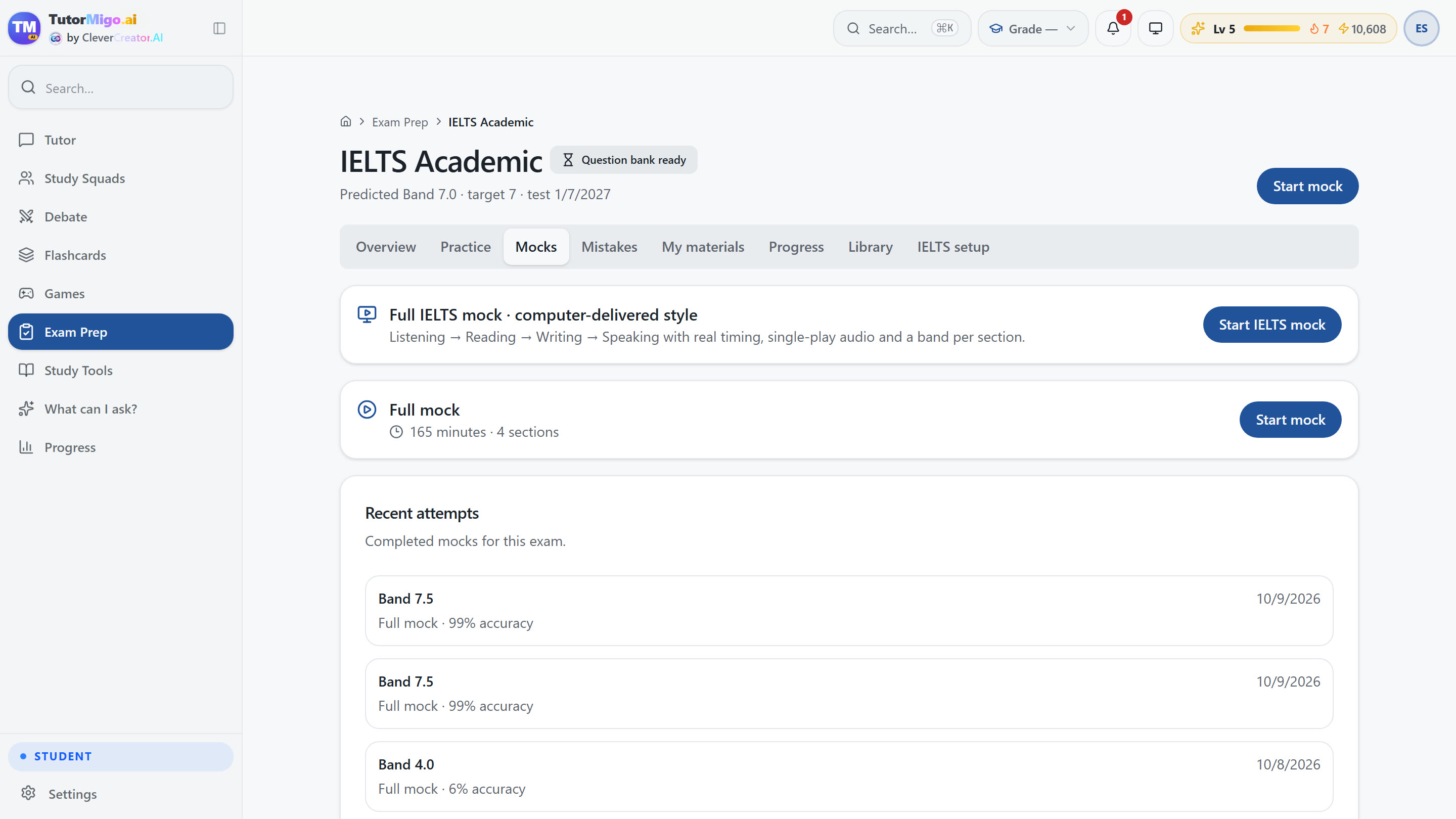
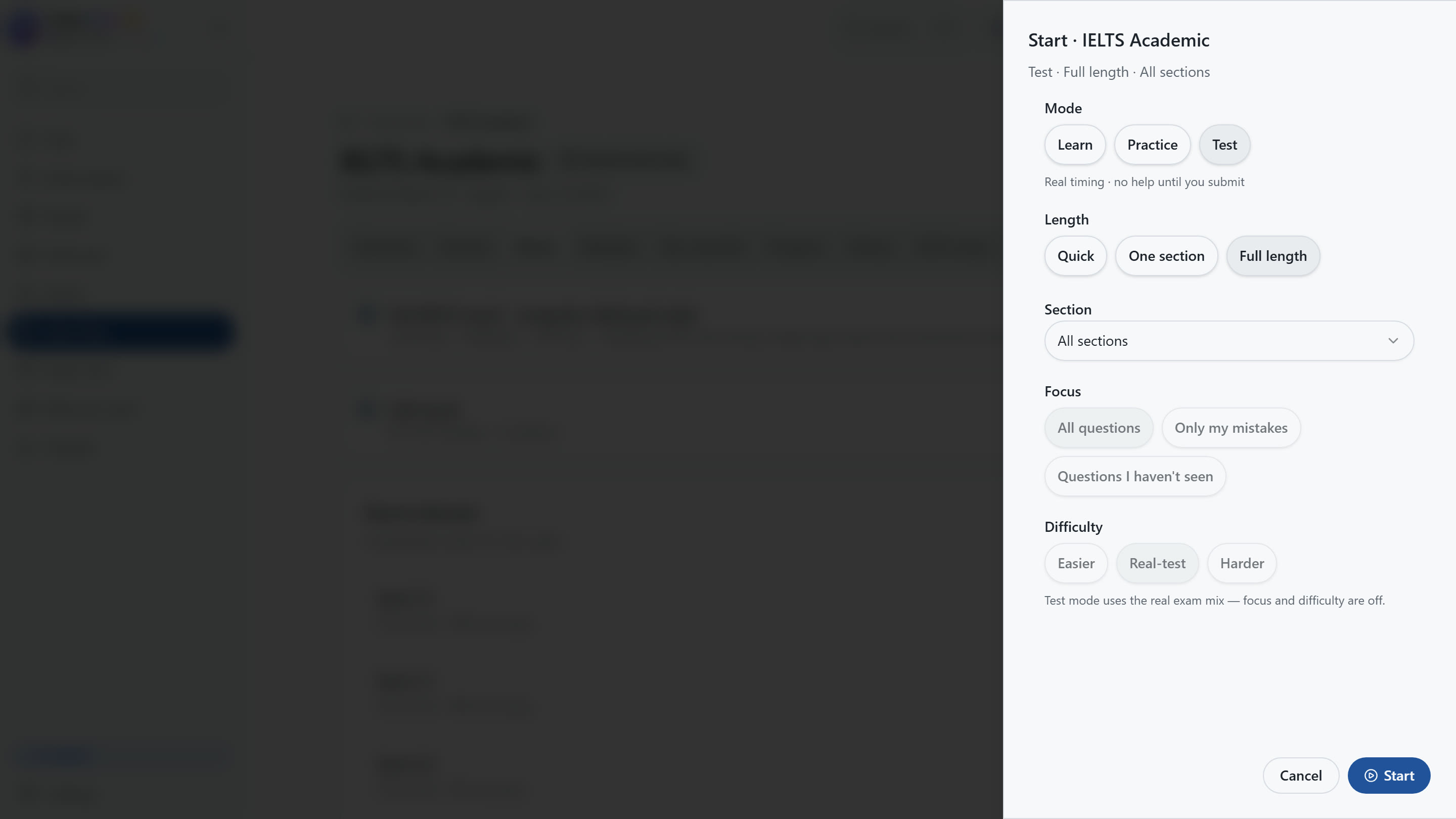
TutorMigo gives you the next IELTS-format test you haven’t taken yet. The badge at the top of each question shows which one, for example IELTS-format Academic Practice Test 3.
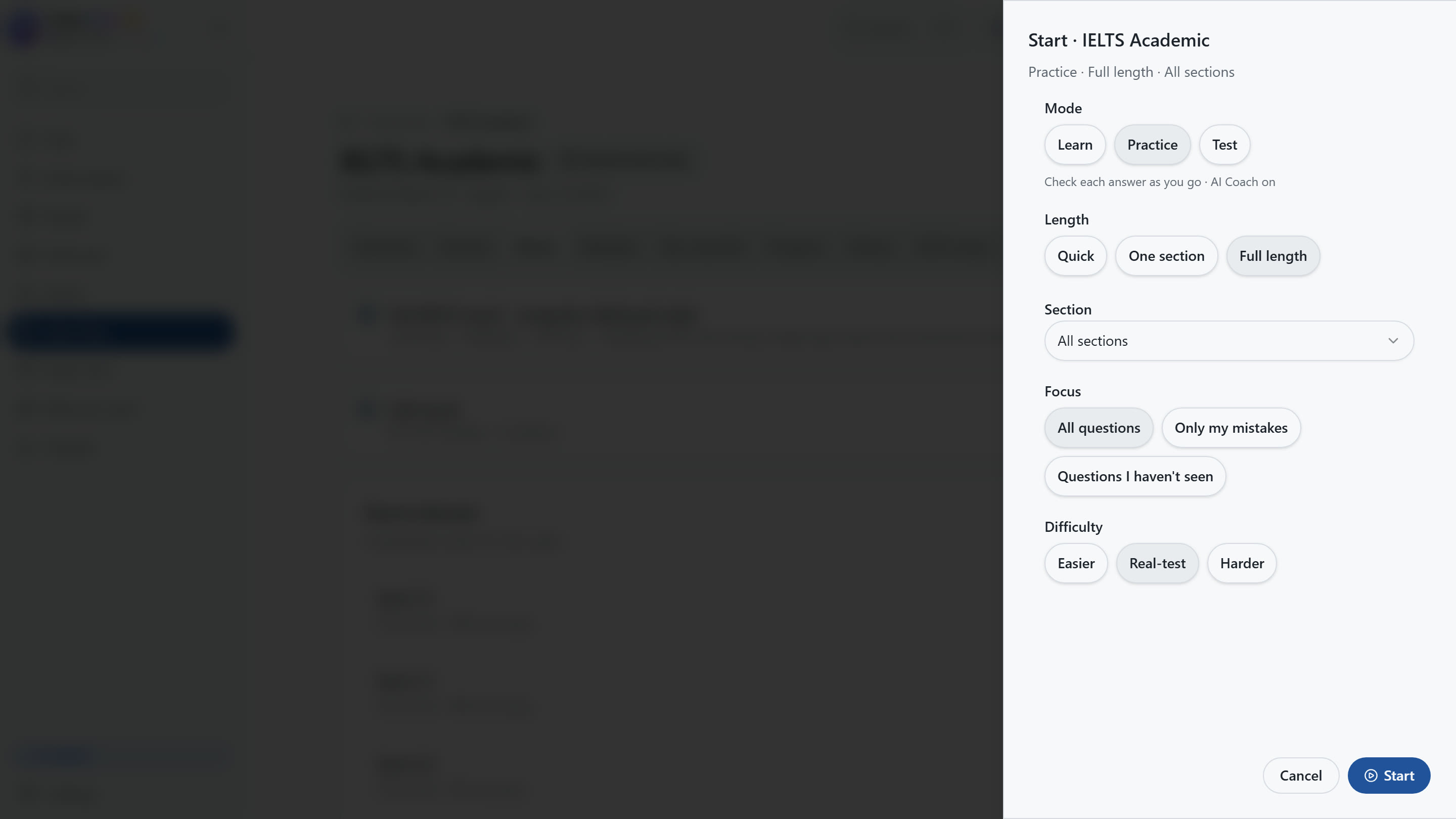
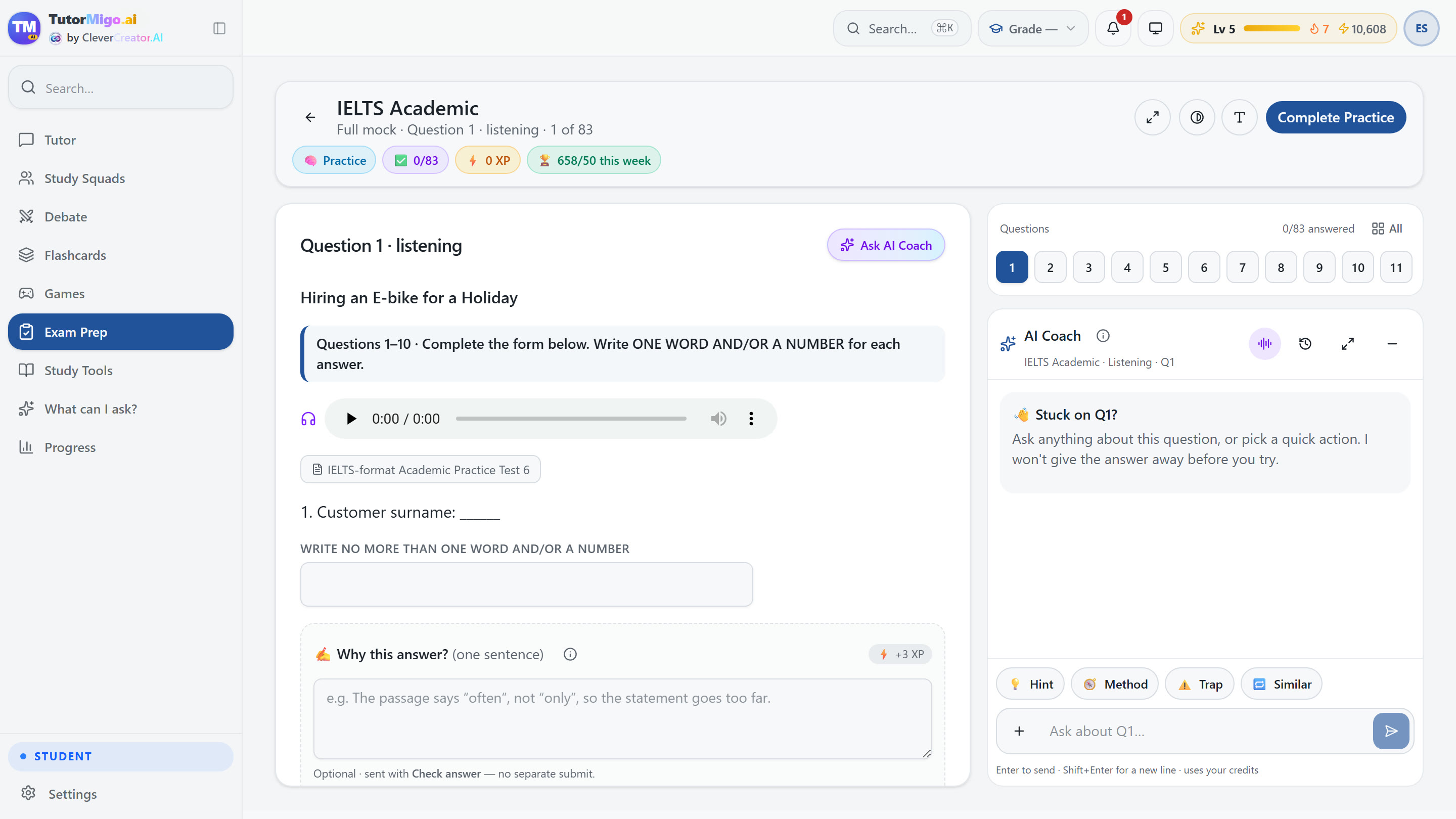
Each block of questions starts with its instructions, exactly as in the real test, for example Questions 1–5 · Complete the form below. Write ONE WORD AND/OR A NUMBER for each answer. Use the numbers on the right to move between questions.
Watch: every question type
Section titled “Watch: every question type”Read the walkthrough transcript
1. Listening: play the recording
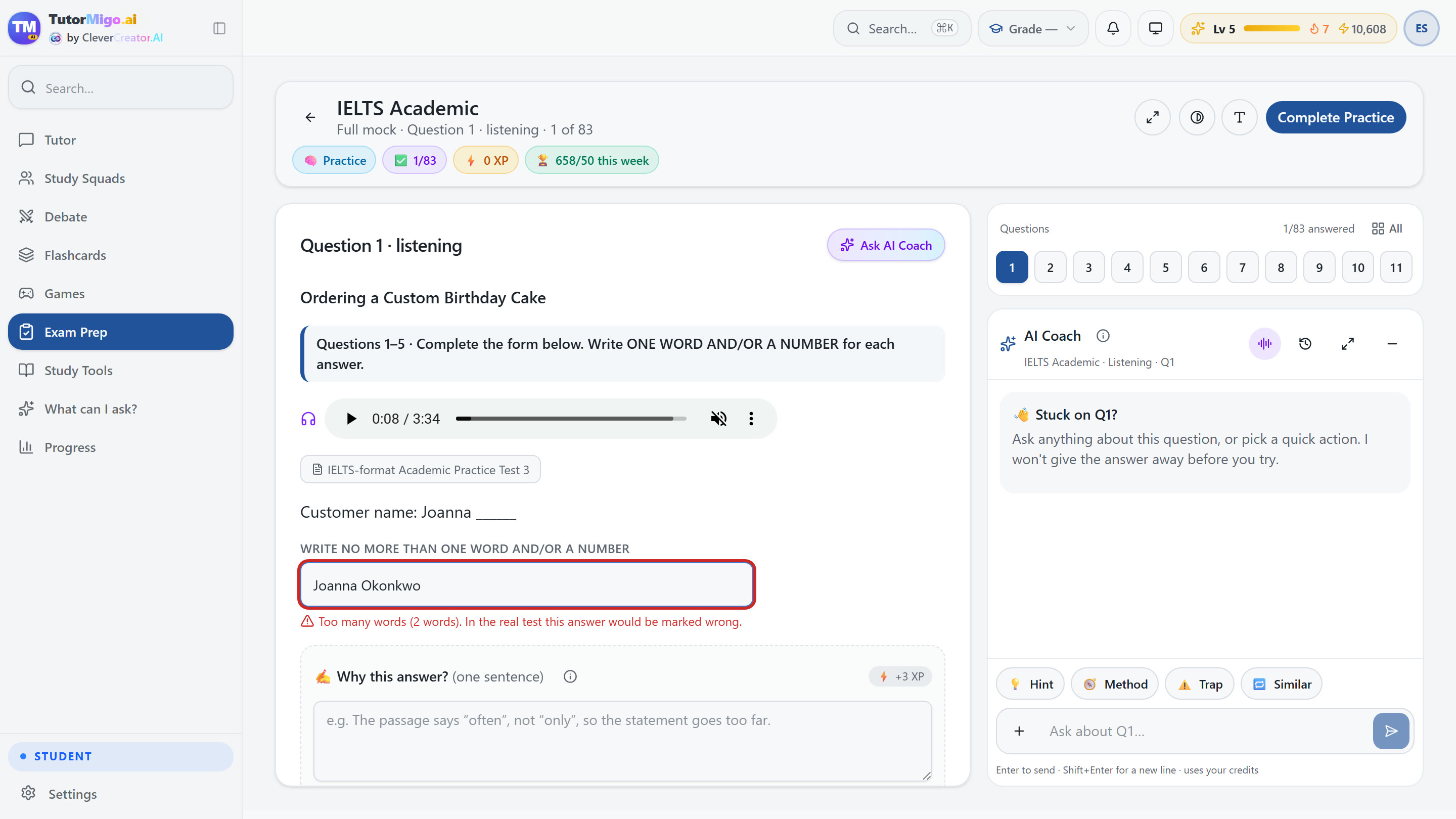
Listening comes first. Each part has its own recording. In Practice mode, you can play, pause and replay it. Here's the start of Part one.
2. Fill a gap within the word limit
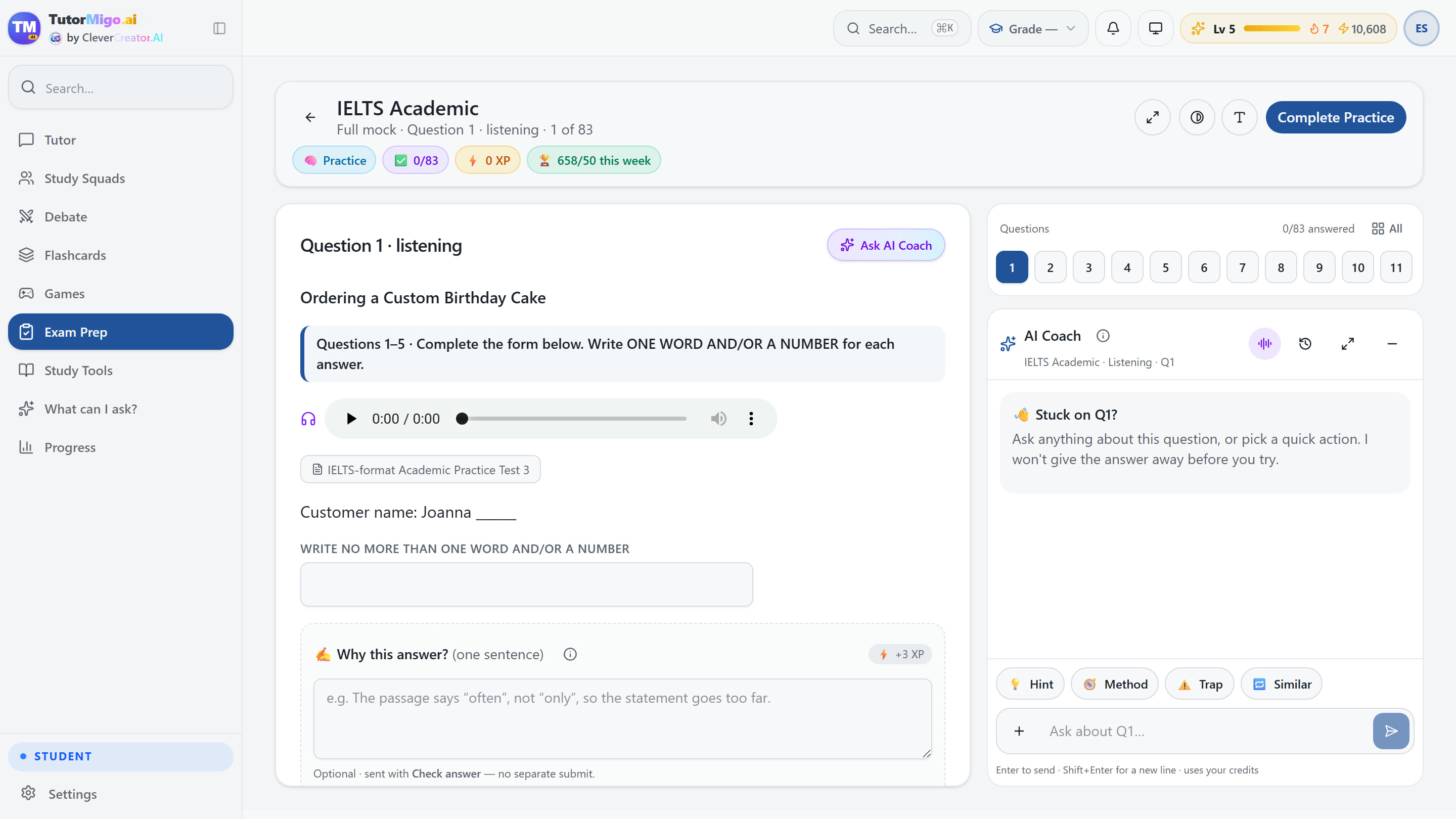
Read the instruction carefully. This one says one word and, or, a number. If you type two words, the box warns you that you're over the limit. So we'll keep just the surname, Okonkwo, and choose Check answer to see the result.
3. Label a map and choose two
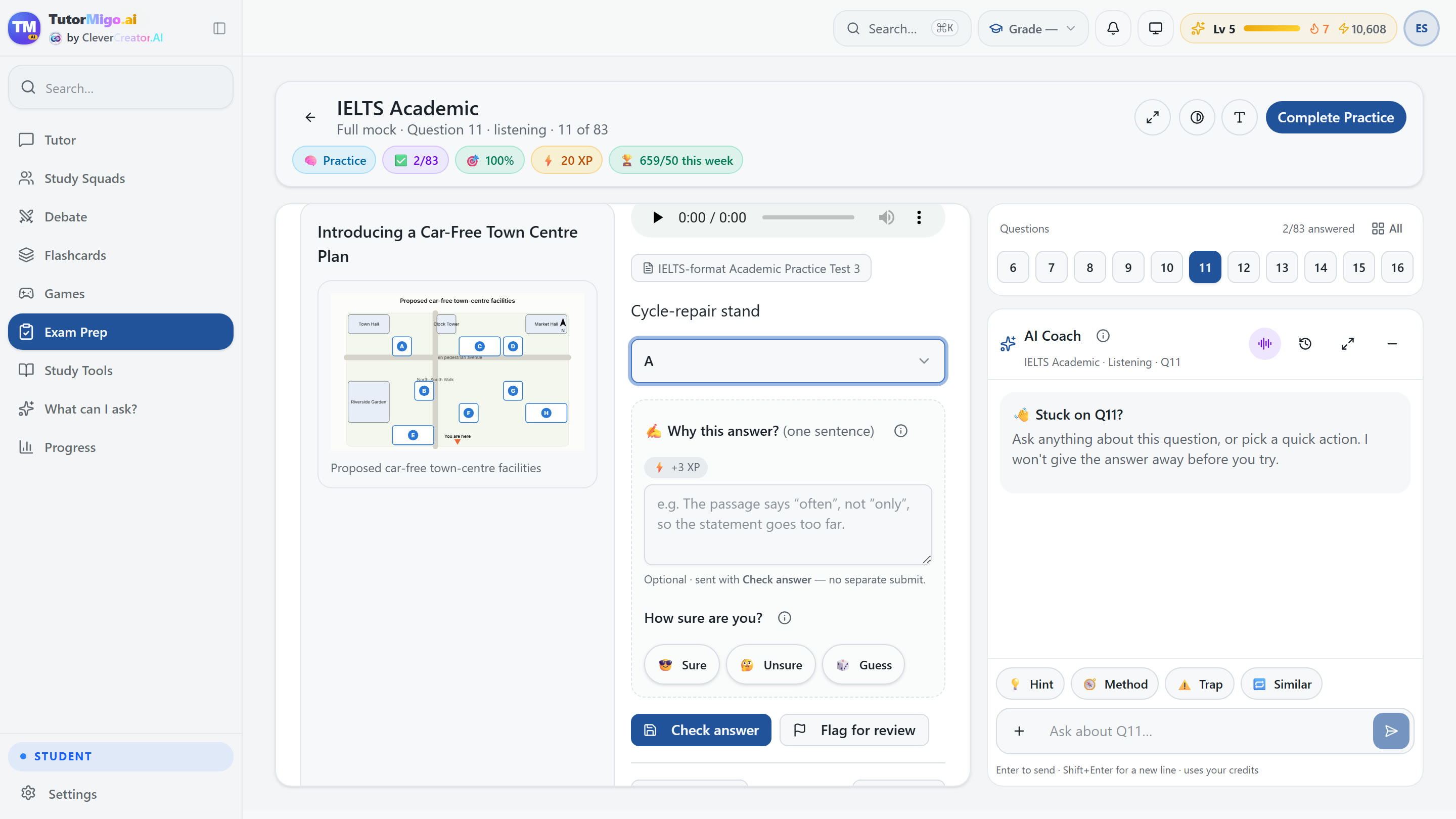
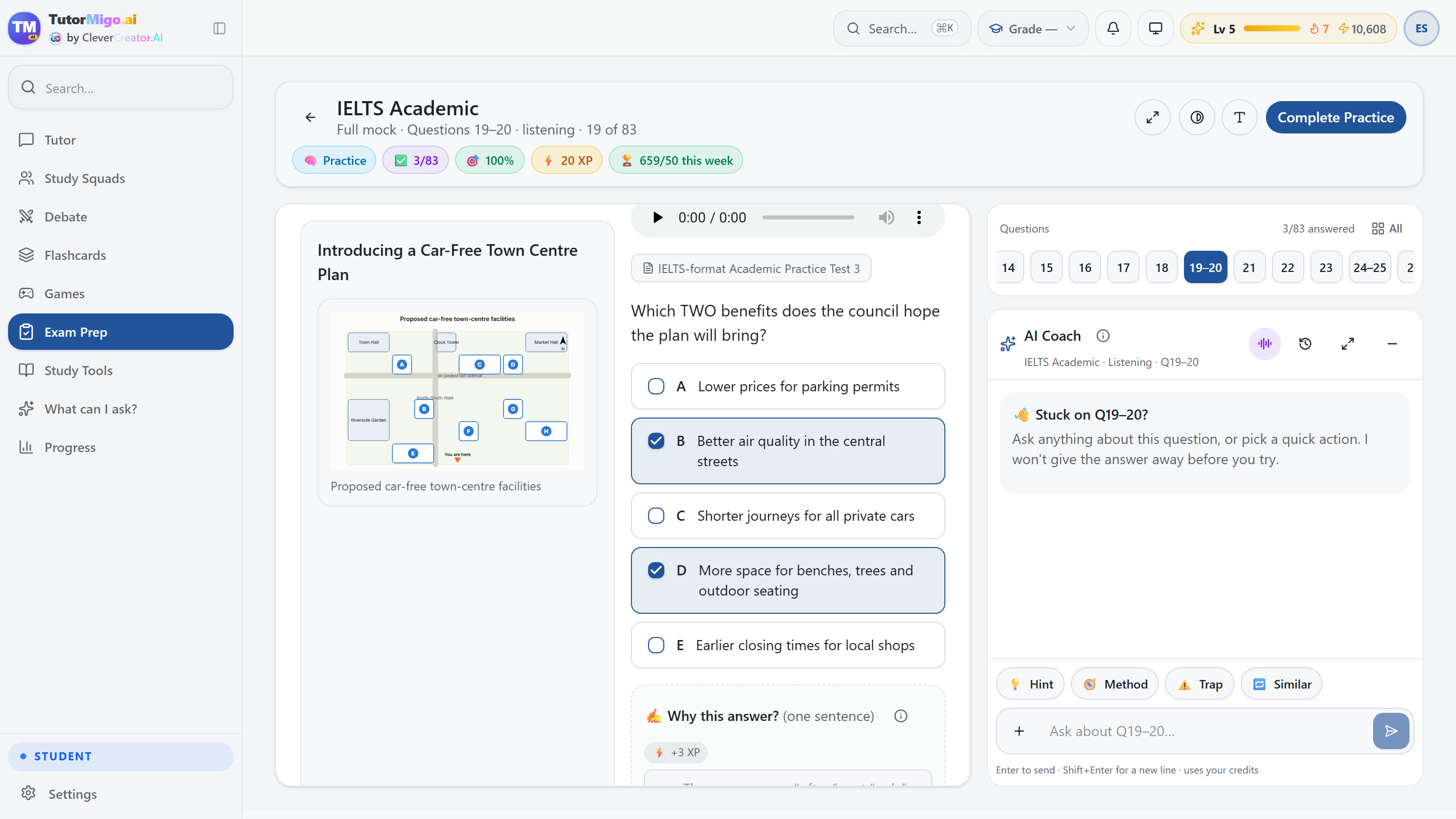
Some parts come with a map or a plan. Places are marked with letters. Listen for the directions, then choose the letter for each place. For Choose TWO questions, tick two letters. Each correct letter earns one mark, in any order.
4. Reading: passage beside the questions
In Reading, the passage stays on the left while you answer on the right. For True, False or Not Given, choose Not Given when the passage simply doesn't say. This statement matches the opening paragraph, so it's True. For matching headings, choose the Roman numeral of the heading that fits the paragraph. And for completion, copy words from the passage, within the word limit. British and American spellings both count, and numbers can be written as digits or words.
Download video · Captions · Transcript
Answer each question type
Section titled “Answer each question type”| Question type | How to answer |
|---|---|
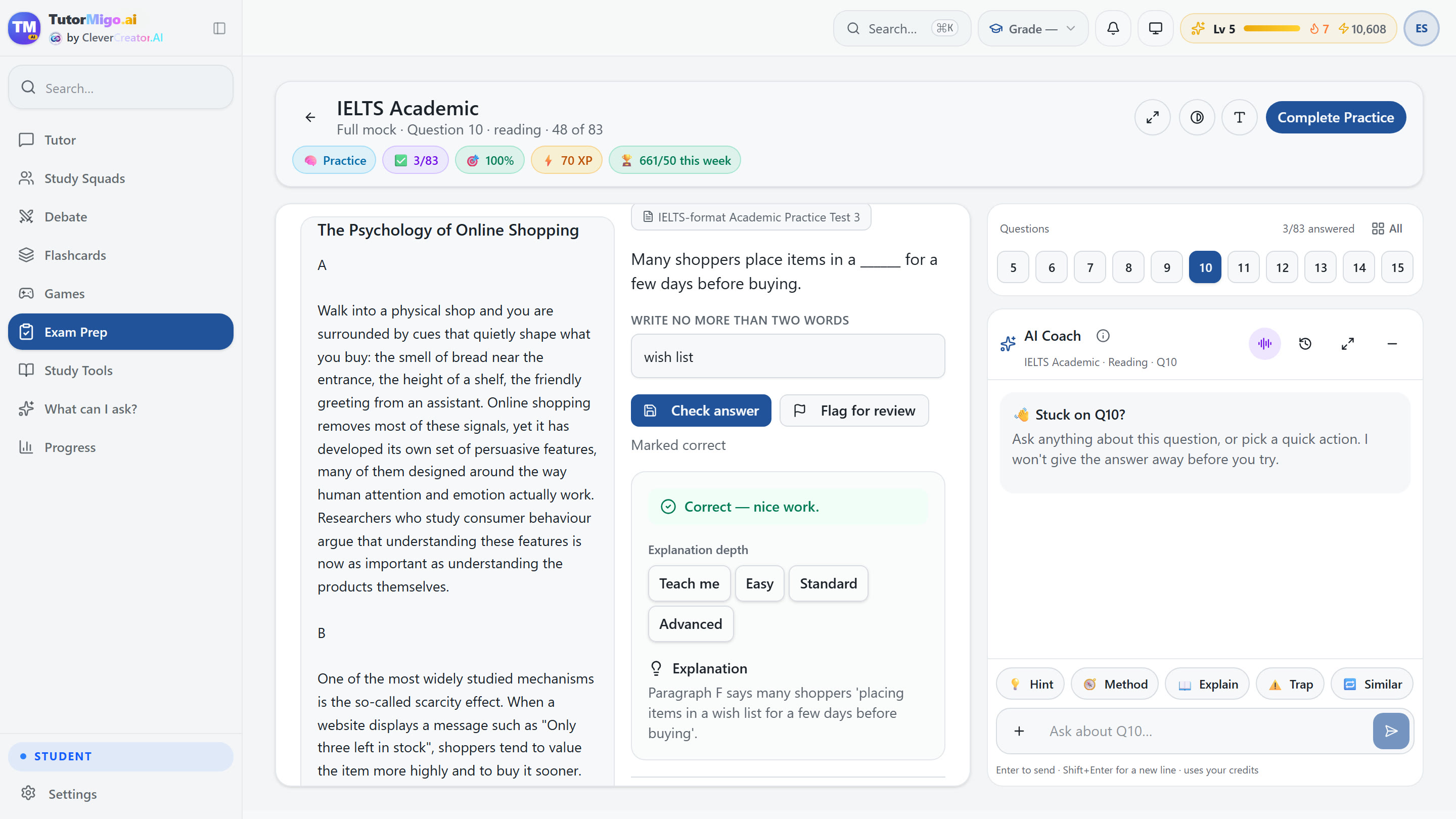
| Form, note, table, sentence and summary completion | Type words into the box. Stay within the word limit in the instructions. |
| Short answer | Type a short answer within the word limit. |
| Multiple choice | Choose one letter. |
| Choose TWO | Tick two letters. Each correct letter earns one mark, in any order. |
| Matching (features, information, sentence endings) | Choose a letter from the list. |
| Matching headings | Choose the Roman numeral of the heading that fits the paragraph. |
| True / False / Not Given and Yes / No / Not Given | Choose one label. Choose Not Given when the passage doesn’t say. |
| Map, plan and diagram labelling | Look at the lettered map or diagram, then choose the letter for each place or part. |
Word limits and spelling
Section titled “Word limits and spelling”The word limit is part of the answer, just as in the real test:
- Over the limit is wrong, even if the right words are in your answer. The box warns you when you type too many words.
- Copy words from the passage or recording. Spelling counts.
- British and American spellings both count, for example colour and color, or fibre and fiber.
- Numbers can be digits or words: 14 and fourteen, 90 and ninety.
- Dates can be written in common ways: 14 July, July 14, 14th July. An ordinal such as 14th counts as a number, not a word.
Listening
Section titled “Listening”- In Practice mode, use the player to play, pause and replay each part.
- In Test mode, each part plays once. You get 30 seconds to read the questions first, and then the recording starts by itself. If your browser blocks it, choose Play now.
- Some Part 2 recordings come with a map or plan. Places are marked with letters, and the recording never says the letter for you.
Reading
Section titled “Reading”The passage stays on the left while you answer on the right. On a phone, choose Show the passage to open the text above the question, and Hide the passage to close it again.
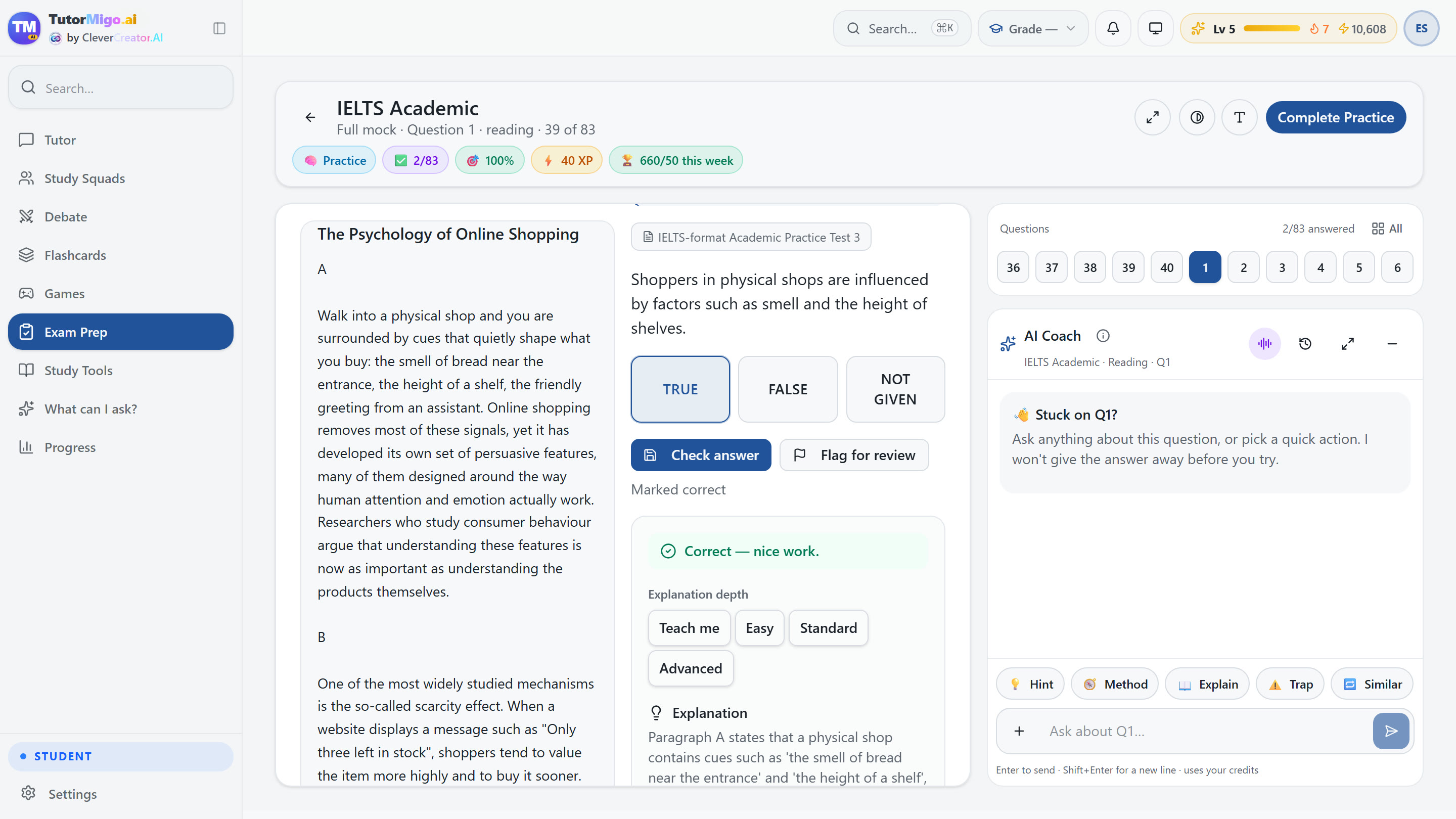
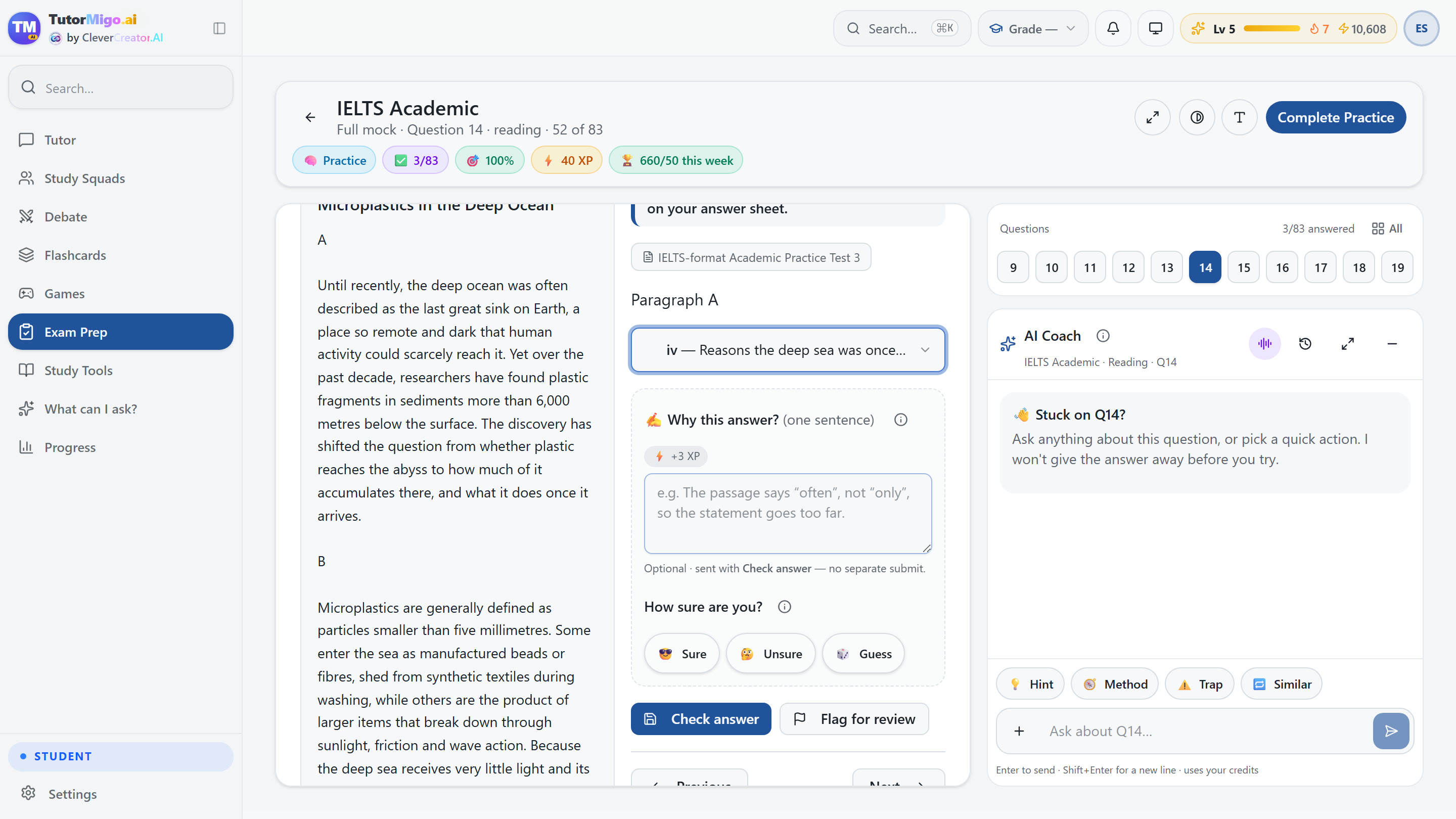
In Practice mode, choose Check answer to see whether you were right and why.
Watch: Writing, Speaking, and your band
Section titled “Watch: Writing, Speaking, and your band”Read the walkthrough transcript
1. Writing Task 1 and Task 2
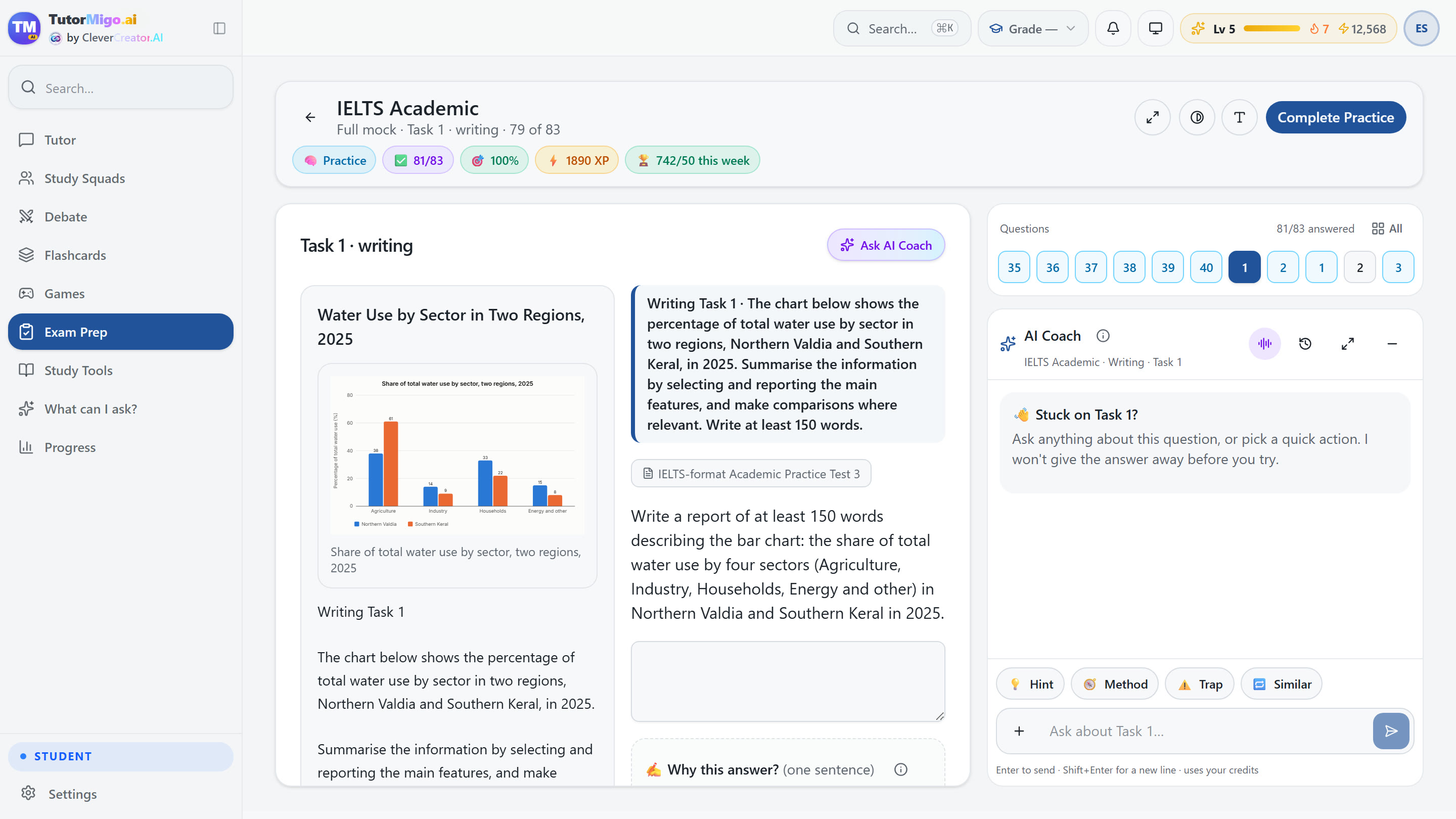
Writing has two tasks. In Academic Task one, you describe a chart. In General Training, you write a letter instead. Write your answer in the box. Aim for at least a hundred and fifty words here, and two hundred and fifty for Task two.
2. Speaking with the examiner
Speaking has three parts. Choose Hear the examiner to have the question read aloud. For the Part two cue card, start the one-minute preparation, then talk for up to two minutes. You can answer by speaking, or type your answer in the box.
3. Submit and read your band
When you're ready, choose Complete Practice and confirm. Writing and Speaking are marked by an AI examiner, so this can take a minute or two. Your result shows an overall band, and a band for each part, worked out the same way as the real test. For this walkthrough, the Listening and Reading answers were filled in beforehand, so focus on the layout rather than the scores. The examiner's feedback explains each criterion for your Writing and Speaking. Use it, then review every question to see where your answers came from.
Download video · Captions · Transcript
Writing
Section titled “Writing”- Task 1 (Academic): describe the chart in at least 150 words. Task 1 (General Training): write the letter in at least 150 words.
- Task 2: write an essay of at least 250 words.
Type your answer in the box. The chart or letter prompt stays beside it.
Speaking
Section titled “Speaking”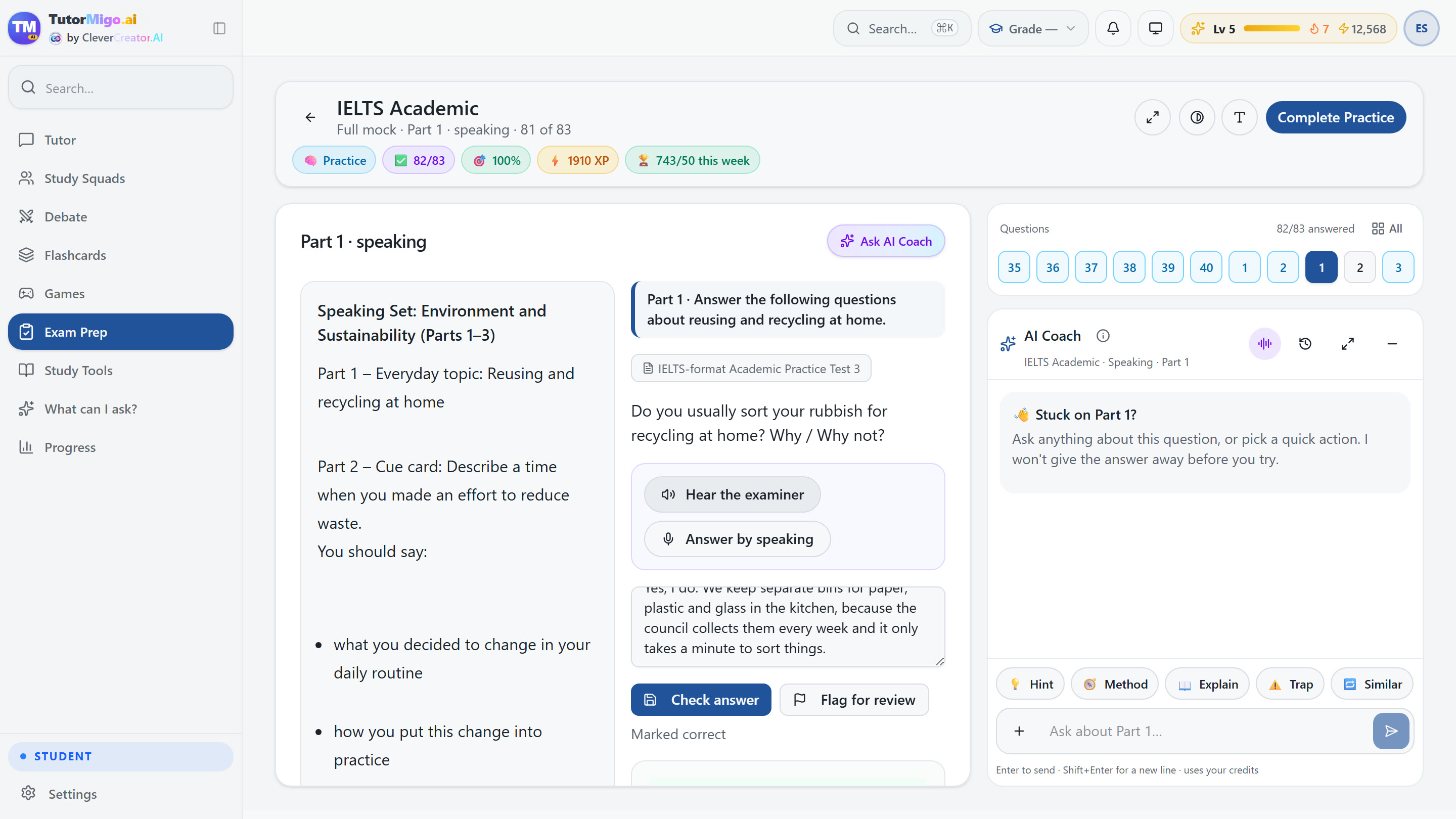
- Choose Hear the examiner to have the question read aloud.
- For the Part 2 cue card, choose Start 1-minute preparation. A timer counts your preparation minute, then up to two minutes of talking.
- Answer by speaking with Answer by speaking (your browser asks for the microphone), or type your answer in the box.
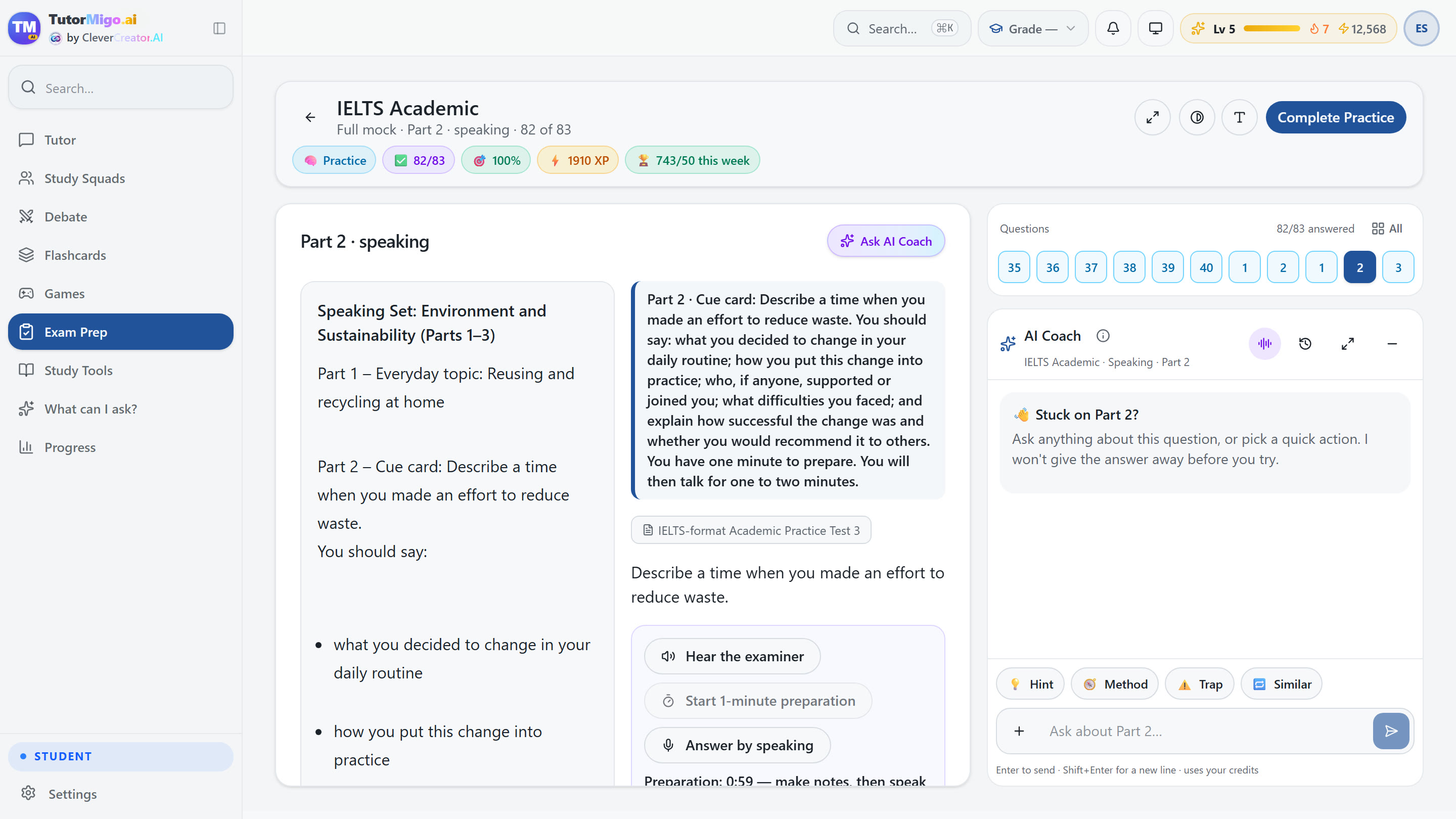
Submit and read your band
Section titled “Submit and read your band”Choose Complete Practice (or Complete Exam in Test mode), then Finish and score (or Submit exam). You can’t reopen the attempt afterwards. Writing and Speaking are marked by an AI examiner against the IELTS criteria, which can take a minute or two. Marking uses your AI credits.
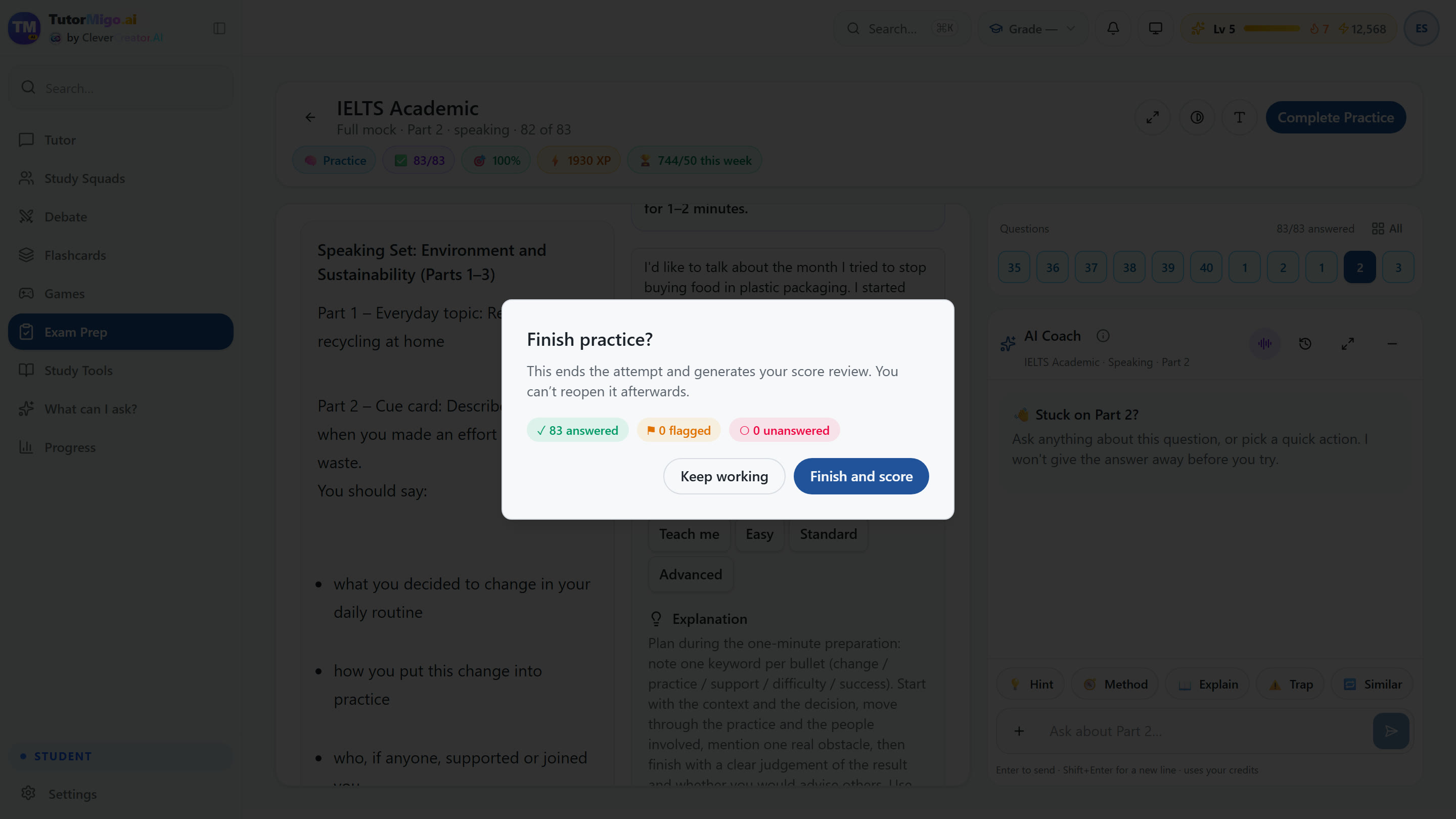
Your result shows:
- an overall band, the average of your four part bands rounded to the nearest half band, as in the real test;
- a band for each part. Listening and Reading come from your correct answers out of 40. A part you didn’t answer shows Not attempted. It isn’t scored as zero: your overall band is then marked indicative and lists the parts it is based on;
- the examiner’s feedback for Writing and Speaking, criterion by criterion.
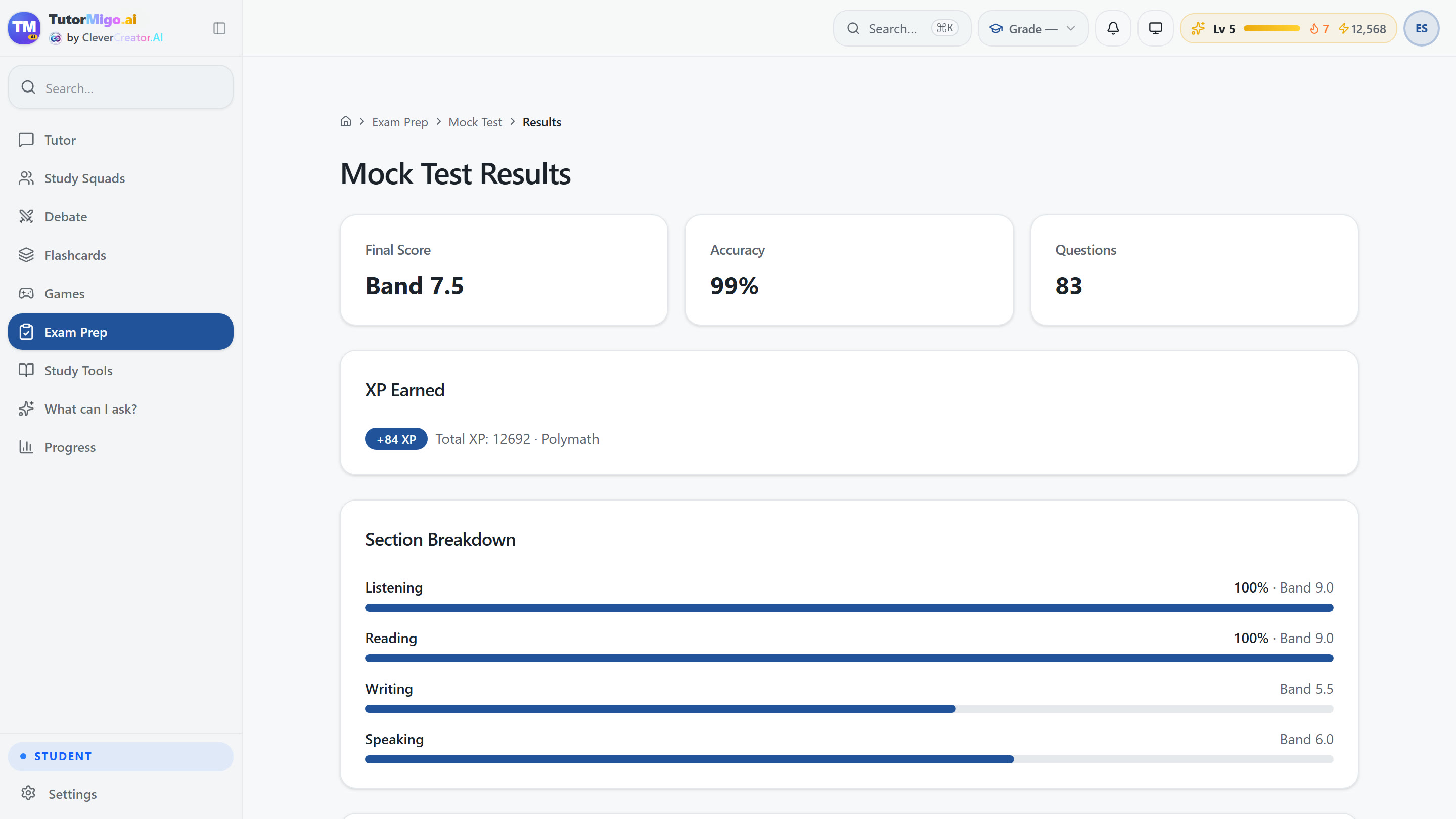
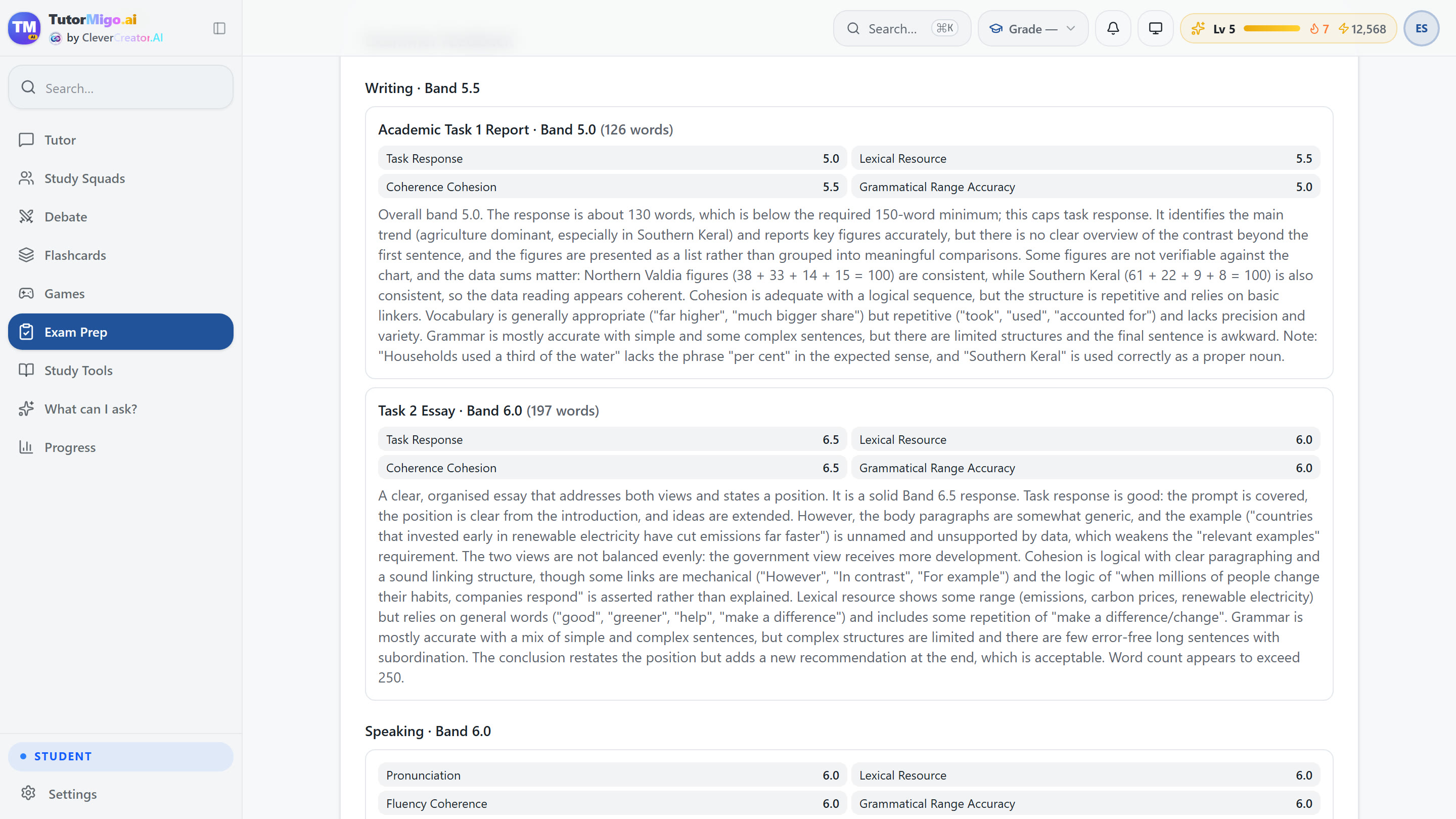
Then choose Review All Questions to see every answer and its explanation. In Practice mode, Listening questions also show the part’s transcript after you check an answer.
- Take your first test in Practice mode to learn the question types, then switch to Test mode for real timing.
- Read the word limit before you listen or read. Most lost marks in completion questions come from going over it.
- Keep the AI Coach for after you’ve tried. It gives hints and methods, not answers.
- Track your bands over time on the Progress tab, and use Mistakes to practise the question types you miss most.
Next: IELTS skills and progress, mock tests, and the AI Coach.