
Invite teachers, staff and faculty
School admins add people from My school → Manage → People.
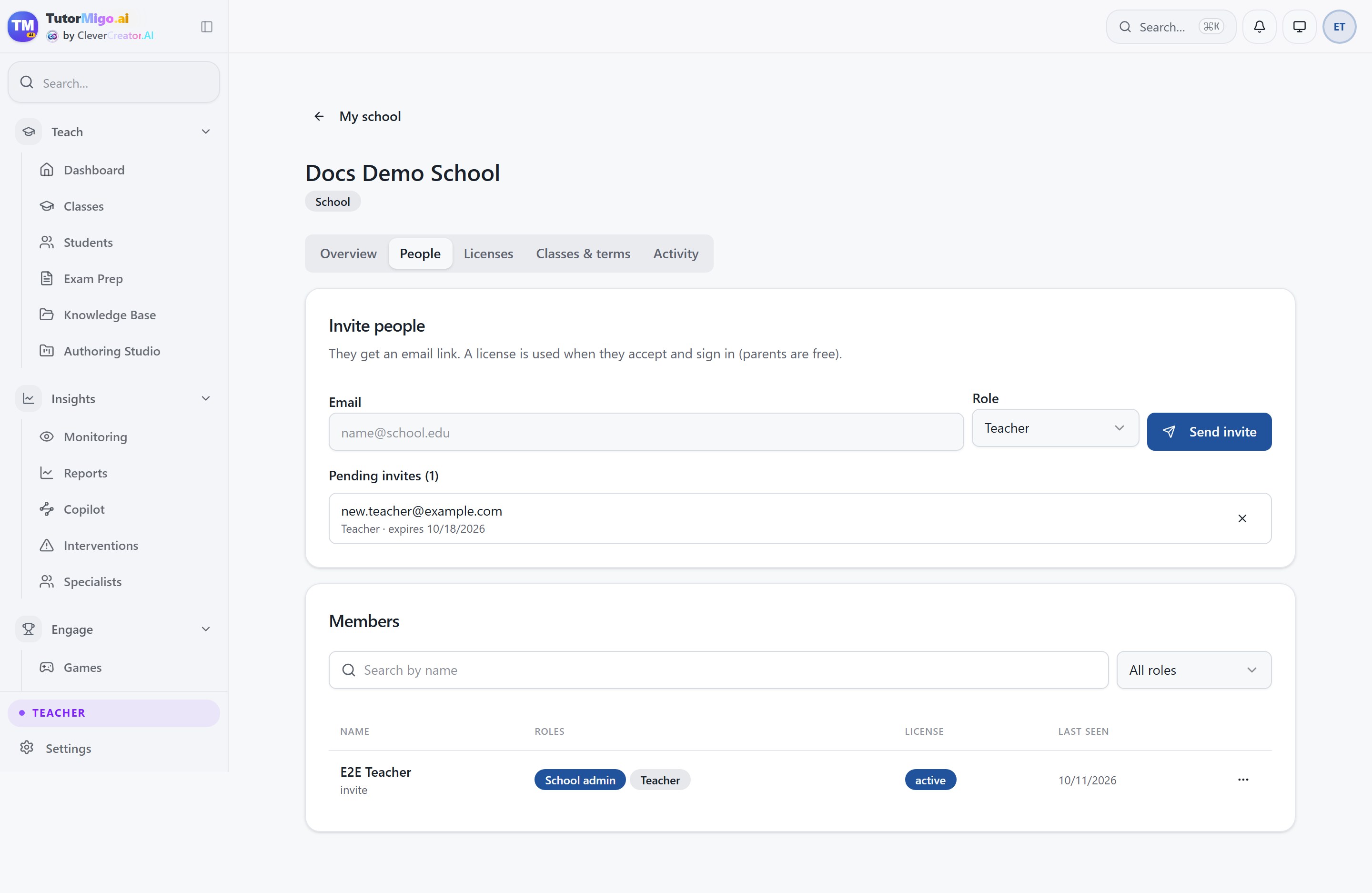
People: invite by email, track pending invites and manage members.
Send an invite
Section titled “Send an invite”- Enter the person’s email address.
- Choose a role: Teacher, Instructor, Tutor, TA, Staff, School admin or Student.
- Select Send invite.
The invite appears under Pending invites until it is accepted. It expires after seven days. Sending a new invite to the same address replaces the old one. Use × to cancel a pending invite.
Only a district admin can make someone a district admin.
Change a role or suspend someone
Section titled “Change a role or suspend someone”Open the ⋯ menu on a member’s row:
- Set primary role changes what they do in the school.
- Also make school admin adds school admin rights on top of their current role.
- Suspend (frees license) removes access and releases their license. Reactivate brings them back if a license is free.
A school must always keep at least one school admin, so the last school admin cannot be demoted or suspended.
Students
Section titled “Students”Teachers usually add students to their own classes with class codes, email invites, or PIN login cards for younger learners. School admins can also invite a student by email with the Student role. CSV import and Google Classroom import are coming next.
Next: Manage licenses.